Supabase backups for teams
Backups are rarely one person's job. The developer who connected a project is not always the one who sees the alert or restores it on a Sunday morning. You can now give a colleague access without sharing a login. It is part of the Team plan.
What Team includes
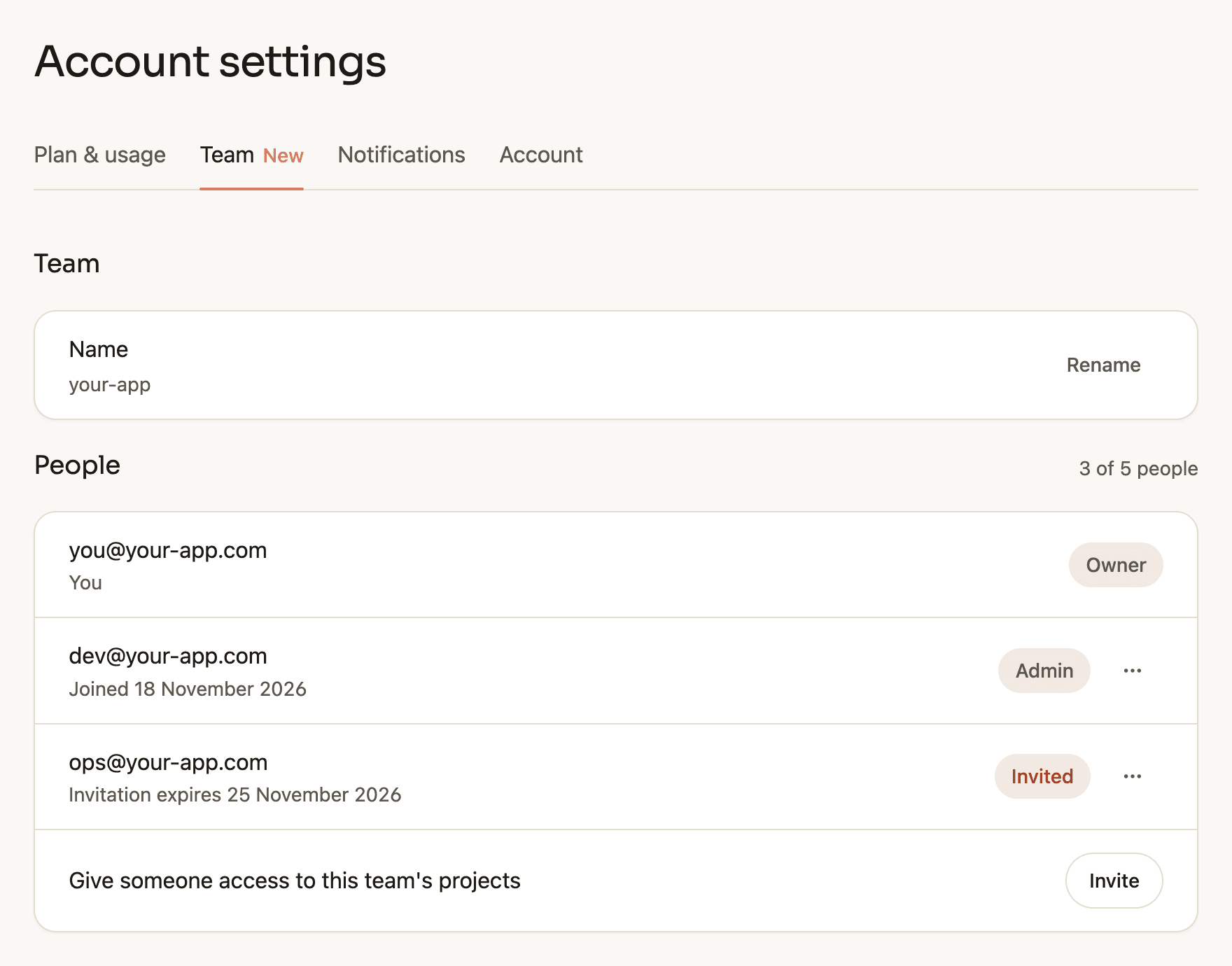
- Up to 5 people, the owner included, work on the same projects, recovery points and restores.
- Everyone signs in with their own email address or Google account. Nobody shares a password or a mailbox.
- Alerts about failed backups and finished restores reach everyone in the team, each under their own notification settings.
- The limits stay as they were: 10 projects, 10 GB per database, 25 GB of Storage files per project and daily backups with up to 60 days of history.
Team costs €39 per month or €390 per year, VAT included.
Roles
Members work with projects, backups and restores. Admins can also invite and remove people and manage the subscription. The owner can do all of that and hand the team over to someone else, so the backups stay with the company when a person leaves.
How to give a colleague access to your Supabase backups
- Open Settings, then Team, and choose Invite.
- Enter their email address and pick member or admin.
- They get an email with a link. After they sign in with that address and accept, they see the team's projects. The link expires after 7 days.
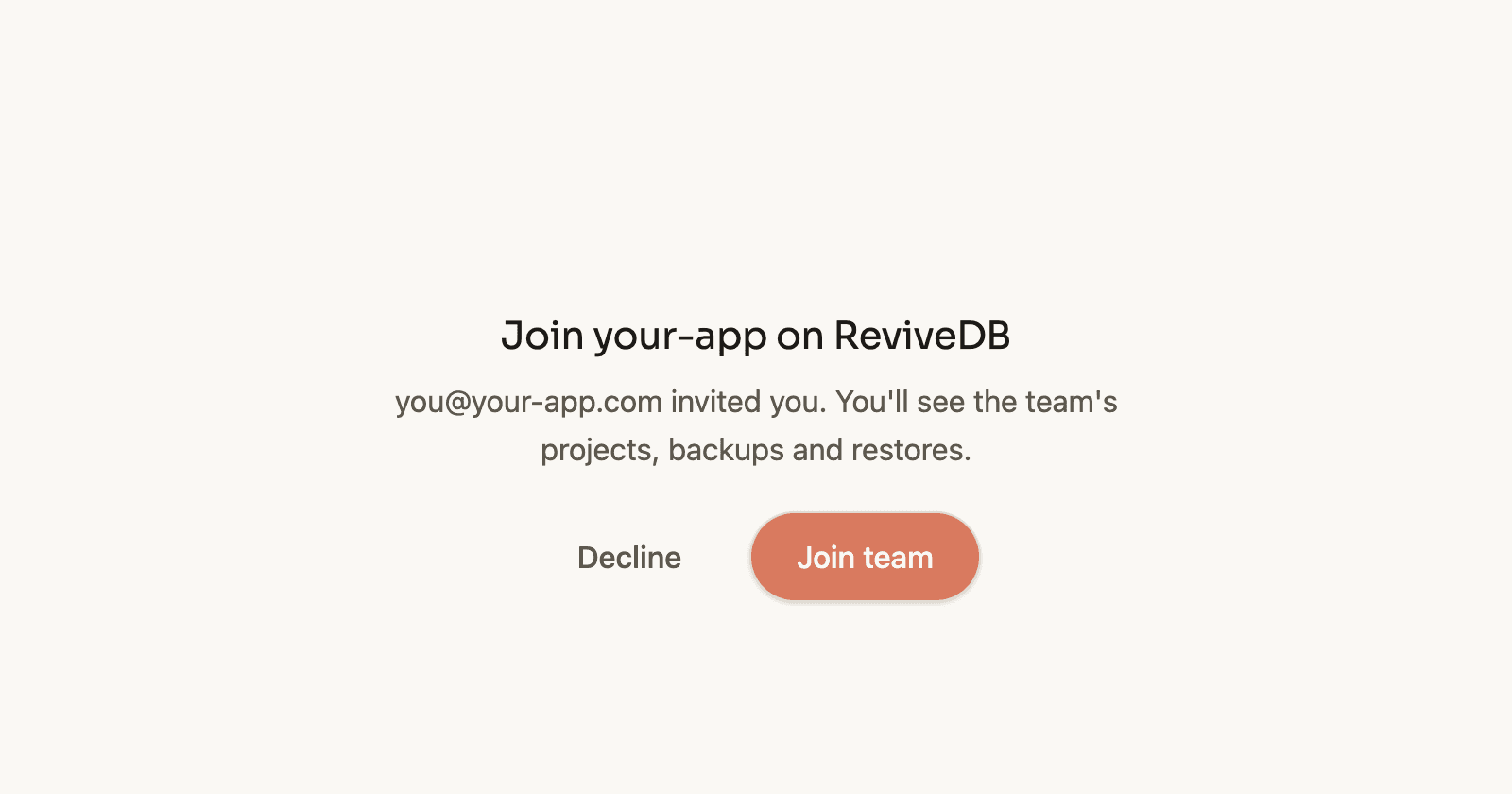
Someone who already uses ReviveDB keeps their own projects and switches between them and the team from the account menu.
For current customers
Scale is now called Team. If you are on it, your price and limits stay the same and you can invite people today. Free and Pro stay one person each. Upgrading to Team from the billing settings keeps your projects and recovery points.
Not included yet
Everyone in a team sees all of its projects. Access per project, more than 5 people and single sign-on are not available. If you need one of these, write to support@revivedb.dev.